Sell tickets on your own website
Your website is where people find your events. Now it can be where they buy the tickets too.
By Mark Hinds LinkedIn ·
Your website is where people find your events. They read about the night, look at the photos, check the date, and then, too often, they click a link and land on a different site to buy a ticket. Some of them never come back.
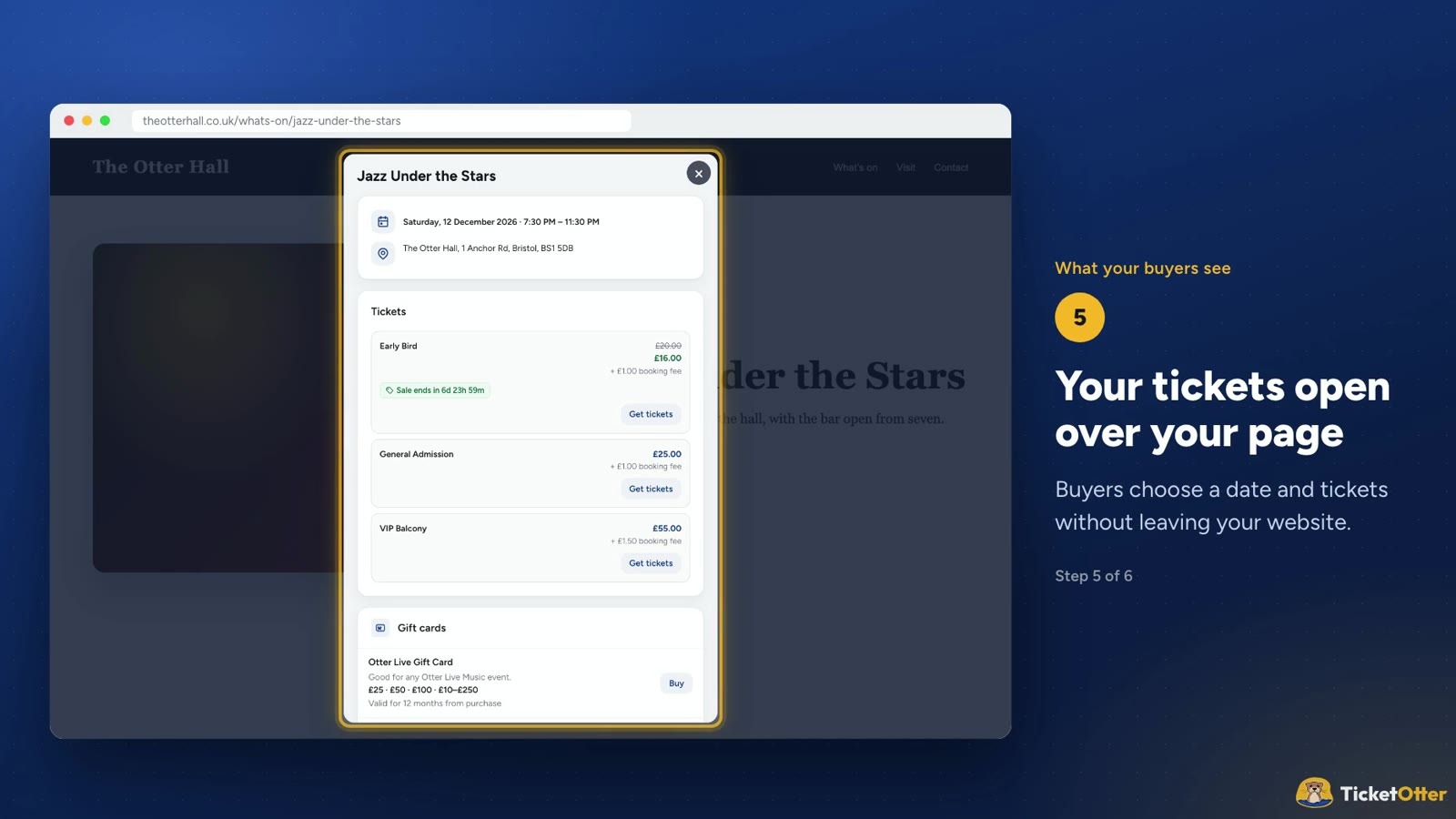
From today, they don’t have to leave. TicketOtter can now put a Buy tickets button on your own website, and the whole checkout opens right over your page.
How it works
Open your event in TicketOtter and press the </> button next to the QR code. Choose how it should look, copy the code, and paste it into your website. That’s it.
There are two ways to show it:
A Buy tickets button in your brand colour. Clicking it opens the tickets and checkout over your page. This works best on most websites.
Tickets in the page. The ticket picker and checkout sit right in your page, which suits a page just for one event.
It works with WordPress (a Custom HTML block), Wix (Embed Code), Squarespace (a Code block) or any website you can add HTML to.
Everything still works
Buyers can pay by card, Apple Pay, Google Pay, PayPal or bank transfer, use your discount codes and gift cards, and answer your checkout questions. Their tickets arrive by email, just as they do now. And if you change your event’s details or tickets, your website shows the changes straight away, with no new code to paste.
Your money, straight to you
Selling on your own site doesn’t change where the money goes. Mark explains:
That’s one of the crux questions, and it’s a really easy one to answer, because we worked this out and we wanted it ourselves.
The money goes straight to the organiser, through Stripe. However you’ve got it set up, whether Stripe pays you out once a week or every other day, the money goes straight from the person buying the ticket into your Stripe account. We don’t touch it. We don’t see it. It’s yours, and rightly so.
At the end of every month, we invoice you. That’s it.
Go to ticketotter.com, sign up, get your events online, put your Stripe account in, press publish. That’s it. You get your QR codes, your links, everything. You’re ready to sell tickets.
It’s included with every event at no extra cost: still just 40p + VAT per ticket, with no percentage fees.
Ready to try it? Sign up free at ticketotter.com, or read the step-by-step guide: Sell tickets on your own website, in our help centre.